Navigate to Account Details, and select Manage Your Users.
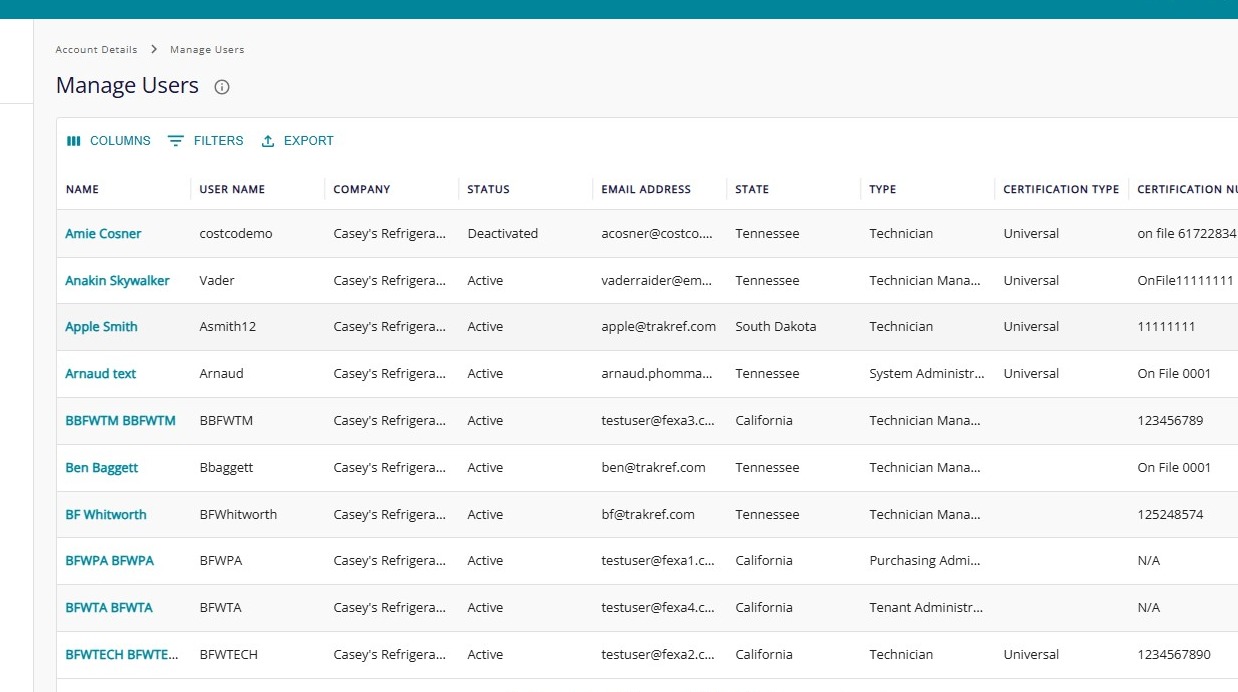
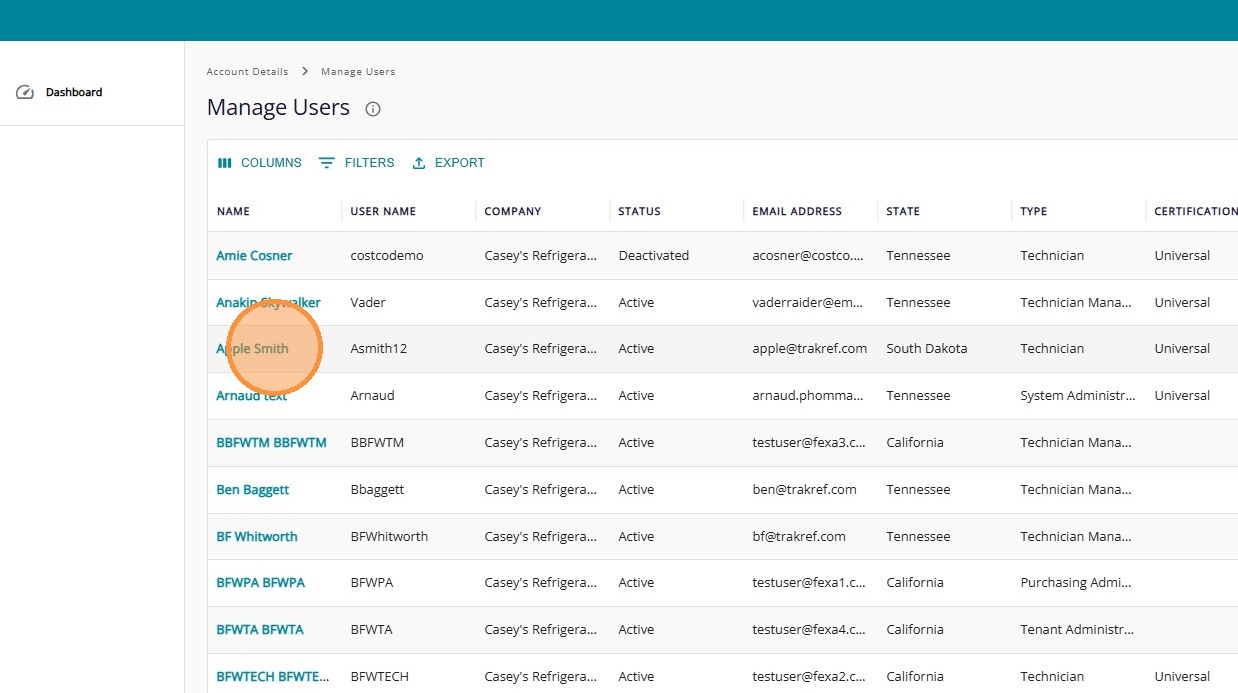
Click the user's Name that you want to Deactivate.
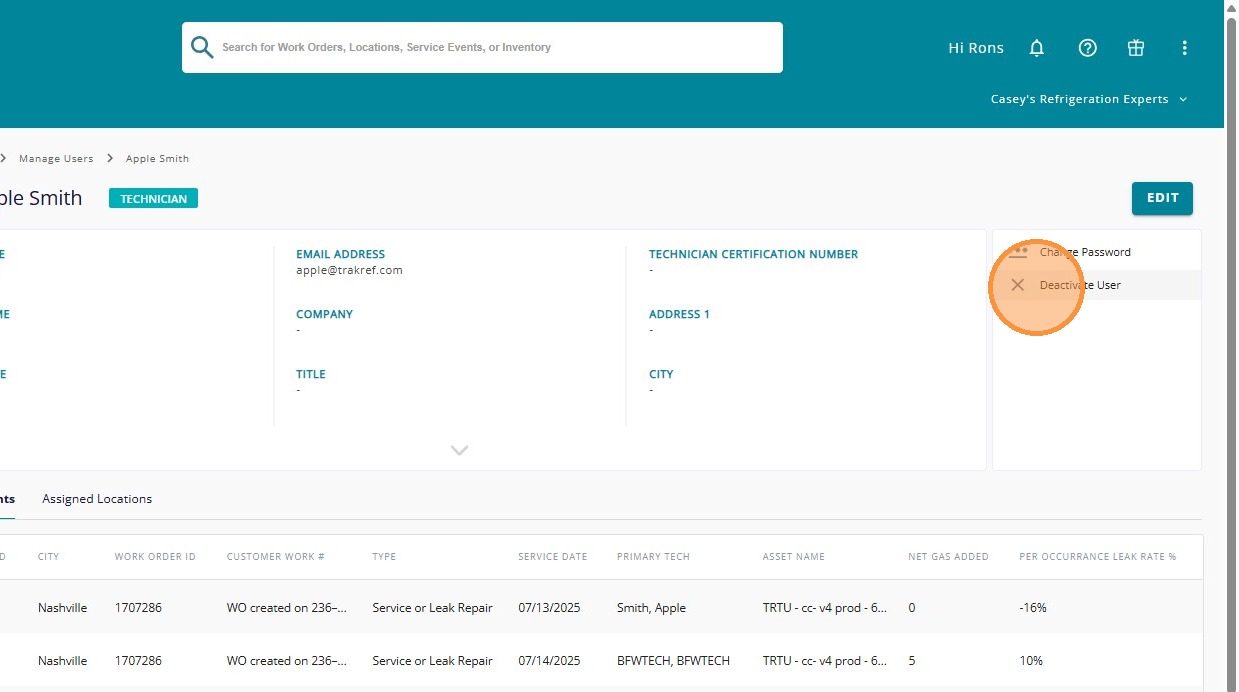
Click "Deactivate User"
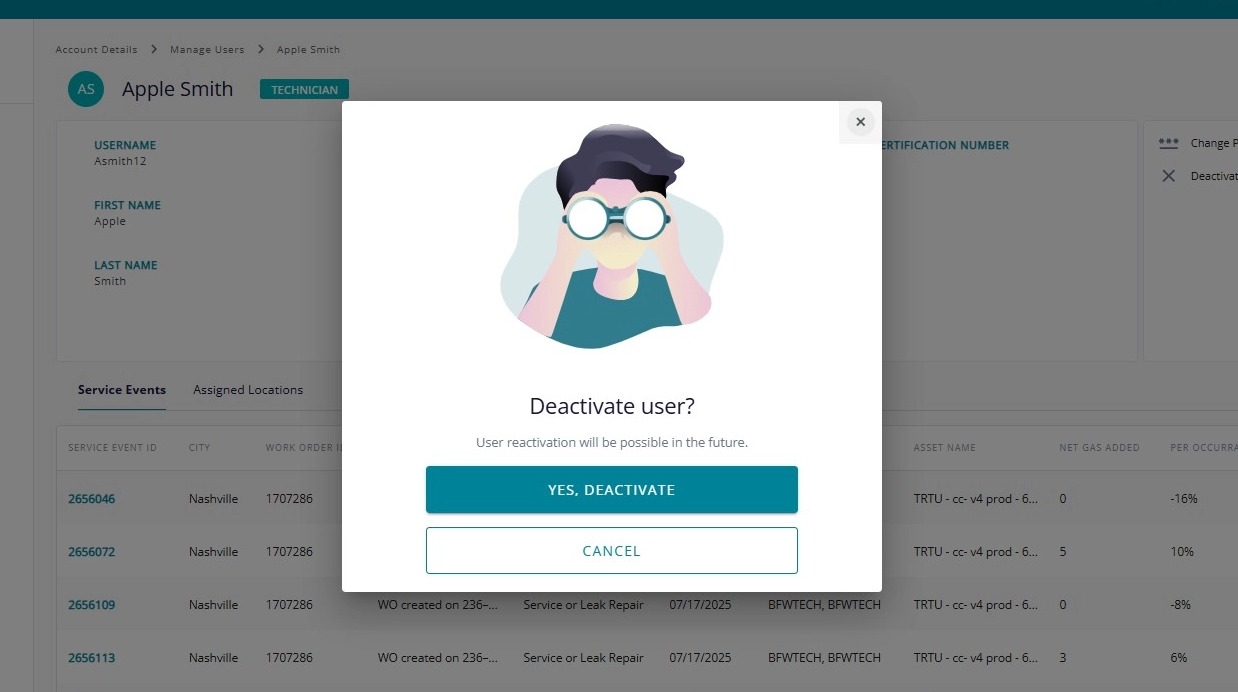
Click "Yes, Deactivate" button, and the user will no longer be able to access Trakref.
If you need to Reactivate A User for any reason, select the user’s Name that you want to Reactivate, and click “Reactivate User”.
Click “Yes, Reactivate” button to reactivate the user.